



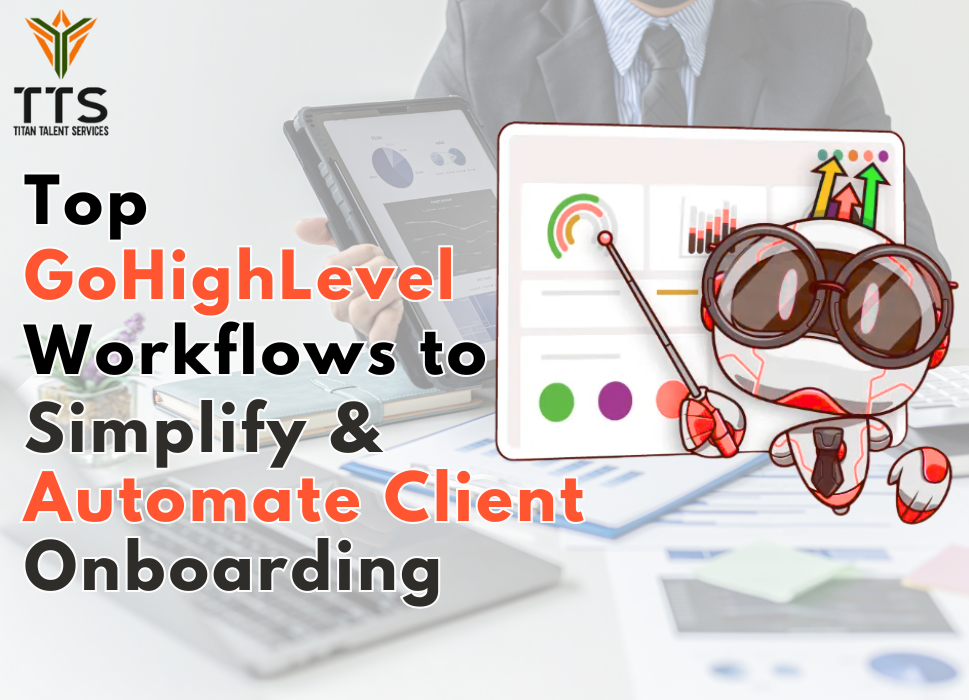
Top GoHighLevel Workflows to Simplify & Automate Client Onboarding
When it comes to growing an agency or service-based business, client onboarding can often feel like a juggling act. Tasks like emails, meetings, contracts, follow-ups, and task assignments all happening at once can make it overwhelming. But what if you could automate most of it without sacrificing that personal touch your clients love? That’s where GoHighLevel workflows play the most important role.
GoHighLevel (GHL) has rapidly become the go-to automation platform for agencies, marketers, and service providers looking to streamline their operations. In fact, according to recent data, over 30,000+ agencies worldwide now rely on GoHighLevel to manage CRM, automation, and marketing campaigns.
In this article, we’ll explore some of the top GoHighLevel workflows that can help you simplify and automate client onboarding. We’ll also show you how Titans Talent Services (TTS) can take it a step further by helping you scale your onboarding process with experienced remote professionals.
Why Client Onboarding Matters More Than Ever
Before diving into automation, it’s worth emphasizing just how critical the onboarding process is. A study by Wyzowl found that 63% of customers consider onboarding a key factor in their decision to stay with a company. That means your onboarding experience can make or break long-term relationships. A smooth, well-structured onboarding process helps clients feel confident in your services, reduces churn, and sets the stage for successful collaboration. However, when you’re managing multiple clients, manual onboarding becomes time-consuming and inconsistent. That’s where GoHighLevel’s workflows make things useful by turning repetitive tasks into seamless, automated experiences.1. Welcome & Introduction Workflow
Let’s start with the simplest yet most powerful workflow the automated welcome sequence. As soon as a client signs a contract or submits their onboarding form, GoHighLevel can automatically trigger a welcome email or SMS introducing them to your team, outlining next steps, and sharing any resources they need. You can even include a personalized video message (recorded once and used for all new clients) to make the introduction feel warm and authentic. This not only saves time but instantly builds trust. Pro Tip: Use conditional logic to send different welcome messages based on the type of client or service they’ve purchased. For example, your marketing clients might receive a different intro sequence than your IT or design clients.2. Automated Document Collection Workflow
One of the biggest bottlenecks in client onboarding is document collection. Chasing clients for contracts, brand assets, or credentials can eat up hours of your week. With GoHighLevel, you can automate this process. Once a client signs up, the system can send them a form or portal link requesting all necessary documents. If they don’t complete it within a certain timeframe, GoHighLevel automatically sends reminder emails or SMS nudges all without manual follow-up. Such type of workflow ensures you never have to manually track who submitted what, allowing your team to focus on what truly matters, which is delivering value.3. Kickoff Call Scheduling Workflow
The onboarding kickoff call is crucial to understanding your client’s goals and aligning expectations. Instead of manually emailing back and forth to schedule meetings, GoHighLevel integrates with tools like Calendly or its built-in calendar to automate the entire scheduling process. Here’s how it works:- As soon as a client completes onboarding forms, the workflow triggers an automated email with your booking link.
- Once the client books a slot, they receive automatic reminders leading up to the call.
- After the meeting, GoHighLevel can automatically send a thank-you message and summary email.
4. Task Assignment & Internal Team Notifications
When a new client joins, several internal tasks need to kick off simultaneously by creating accounts, setting up campaigns, designing assets, or preparing reports. GoHighLevel lets you create workflows that automatically assign tasks to the right team members. For example:- Assign a campaign setup task to your marketing specialist.
- Notify the design team to prepare visuals.
- Alert your customer success manager that a new client has been onboarded.
5. Progress Tracking & Check-In Workflow
Client relationships thrive on communication. GoHighLevel’s workflows can automate regular progress updates and check-ins during the onboarding phase. You can set automated messages like:- “Hey [Client Name], we’ve completed your ad setup! Next step: strategy review.”
- “Just checking in — do you have any questions about your dashboard?”
6. Feedback & Satisfaction Survey Workflow
Once onboarding wraps up, it’s smart to ask for feedback. A post-onboarding survey workflow can automatically send a short feedback form to clients after a set number of days. This data not only helps you improve your onboarding process but also gives you testimonials or reviews you can use for marketing. You can even create conditional actions — for example, if a client gives a high satisfaction score, the system can send them a link to leave a public review. Automation + social proof = a win-win.7. Payment & Invoice Automation Workflow
Handling payments manually during onboarding is another common pain point. GoHighLevel allows integration with Stripe and other payment gateways to automate invoices, receipts, and payment reminders. You can:- Trigger invoices when a contract is signed.
- Send payment reminders before due dates.
- Automatically mark clients as “on hold” in workflows if payments are pending.
8. Educational Drip Sequence Workflow
New clients often need help understanding how to use your services or platform. An educational drip sequence sends a series of helpful emails over several days or weeks, introducing key features, processes, and FAQs. This self-paced approach reduces the number of support tickets and helps clients feel confident using your services. Think of it as training your clients automatically without adding more meetings to your calendar.9. Client Portal Setup Workflow
With GoHighLevel, you can create client portals that give clients access to reports, campaigns, or project updates. Once a client is added to your system, a workflow can automatically:- Create their portal access credentials.
- Email them login details.
- Send reminders about where to find their performance metrics.
10. The Ultimate Workflow Combo
The beauty of GoHighLevel lies in its flexibility. You can chain multiple workflows together to create a complete onboarding automation system. For instance:- A client fills out your onboarding form.
- A welcome email is triggered.
- They’re guided to submit brand assets.
- A kickoff call is automatically scheduled.
- Internal tasks are assigned to the team.
- A progress check-in and feedback survey follow.